The team, as a constellation
The lead sits at the centre and every agent it hires gets a star and a line. A line lights up while that agent works, with a pulse travelling out from the lead. Click a star to see what that agent is doing.

Sighting turns the agents you already have, Claude Code and Codex, into a team on your Mac. Each project gets a lead. You talk to the lead; it hires agents, hands out the work and reports back.
Free. Bring your own agent.
Version 0.1.12 · macOS 14+ · Apple Silicon & Intel · Release notes
01
Press ⌃⌥Space from any app, or open the console, and say what you want, like “get the weather CLI ready for a Homebrew release”.
02
The lead splits the goal into tasks and hires agents for them. Each agent works on its own git branch in the project folder.
03
Agents report to the lead, the lead merges their branches, and it reports back to you. When it replies, the notch opens for a few seconds to show it.
Tick Plan first on a message and the lead proposes a plan before anyone is hired. Approve it with ⌘↩, or add notes and send it back.
Plan waiting for you · 3 steps
The lead sits at the centre and every agent it hires gets a star and a line. A line lights up while that agent works, with a pulse travelling out from the lead. Click a star to see what that agent is doing.
Click the lead, or press ⌘L, and its chat slides in beside the constellation. Replies read like a document, and tool steps fold into one line you can open.

Plans to approve, questions from the lead and CLIs that need signing in, from every project, in one place.

⌘K jumps to any agent, task or action, or asks the lead. ⌘1, ⌘2 and ⌘3 switch between the constellation, Needs you and Tasks.

Sighting lives at the top of your screen. Hover the notch, or press ⌃⌥Space, to see whether the team is working and message the lead without leaving what you're doing. On Macs without a notch, Sighting draws one under the menu bar.
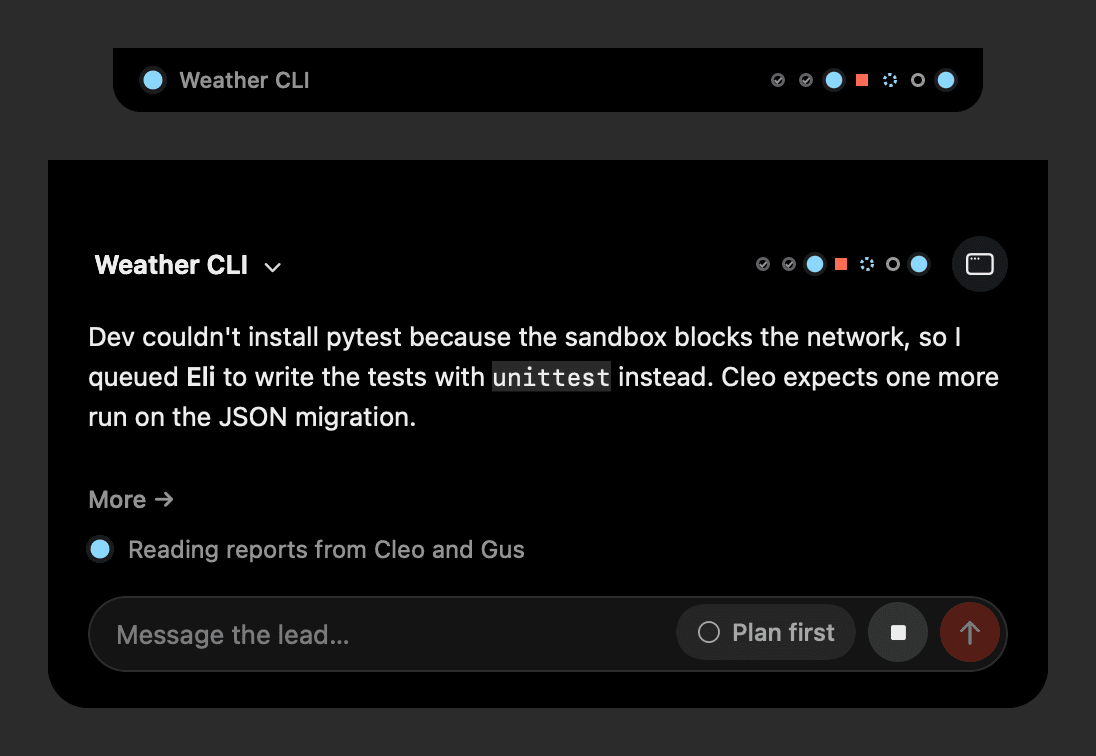


Screenshots show example projects.
We're building a shared knowledge graph for each project: the decisions your team makes, the conventions it follows and the code it has worked in, drawn as it grows. It isn't in the app yet.
Sighting runs the claude and codex CLIs you already have, signed in with your own accounts. It doesn't run them in the cloud and doesn't need its own API keys.
Each agent works on its own git branch, and the lead merges the results.
Sighting is signed with a Developer ID and notarized by Apple.
Updates download in the background and install when you choose Update and Restart, or the next time you quit.
Sighting runs your CLIs in their full-access mode inside the project folder, so agents edit files and run commands without asking first. Use it on folders under version control, and only on projects you trust.
Sighting is free. Your agents run on your own Claude Code or Codex plans, so their usage counts against those.
Claude Code and Codex. You need at least one of them installed and signed in.
Your projects stay on your Mac, and the agents run there as your own CLIs, which talk to their providers as they always do. Sighting contacts its account server to sign you in and updates.sighting.dev to check for new versions.
Sighting updates itself with Sparkle. New versions download in the background and install when you choose Update and Restart, or the next time you quit.
Agents can edit files and run commands without asking, so keep projects under version control and use folders you trust. Each agent works on its own branch, which keeps its changes apart until the lead merges them.
Free. Bring your own agent.
Version 0.1.12 · macOS 14+ · Apple Silicon & Intel · Release notes